File manager for the Mac

Super File Manager

The file manager that also frees up disk space, finds duplicates and compares folders — made for people who work with code, projects and full drives every day, including anyone coming from Windows who misses a real file explorer.

Coming soon to the Mac App StoreFree and Pro

14-day free trial of every Pro tool, no card needed — right in the app. Without Pro, Super File Manager stays free forever.

Apple Silicon (M1 or later)macOS 14 or laterNo data collected
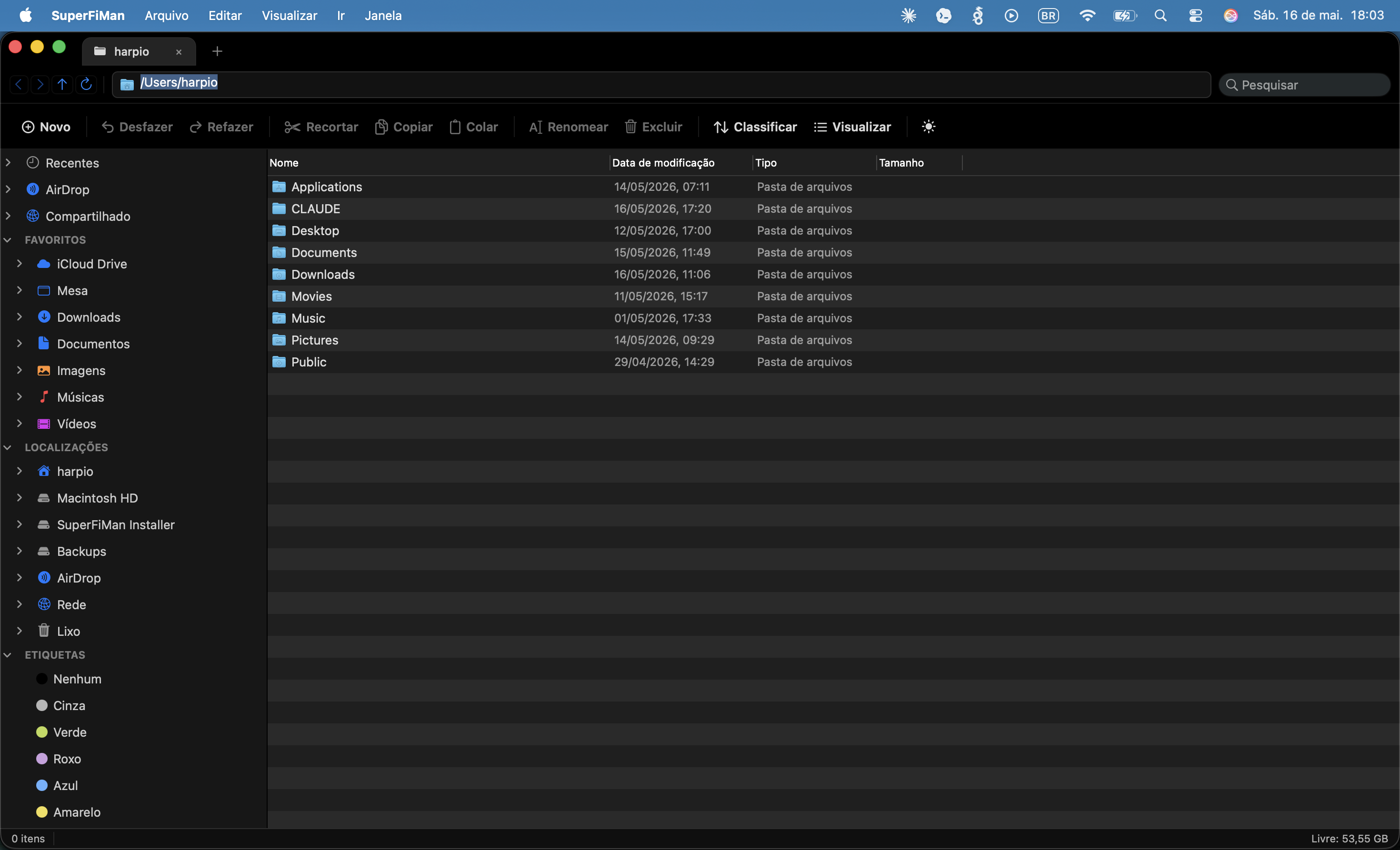
Main window of Super File Manager on macOS

Sound familiar?

The problems that make people look for a better file manager

  • node_modules, build folders and Xcode DerivedData eating 40, 60, 100 GB of your SSD — and you don't know exactly where.
  • Duplicate photos, screenshots and exports piling up in backups and project folders without you noticing.
  • Having to reconcile two versions of a folder (two backups, two drives, a "before and after") and deciding file by file, by eye.
  • Coming from Windows and missing a real file explorer, with tabs, an address bar and a details view.
Pro

Compare Folders

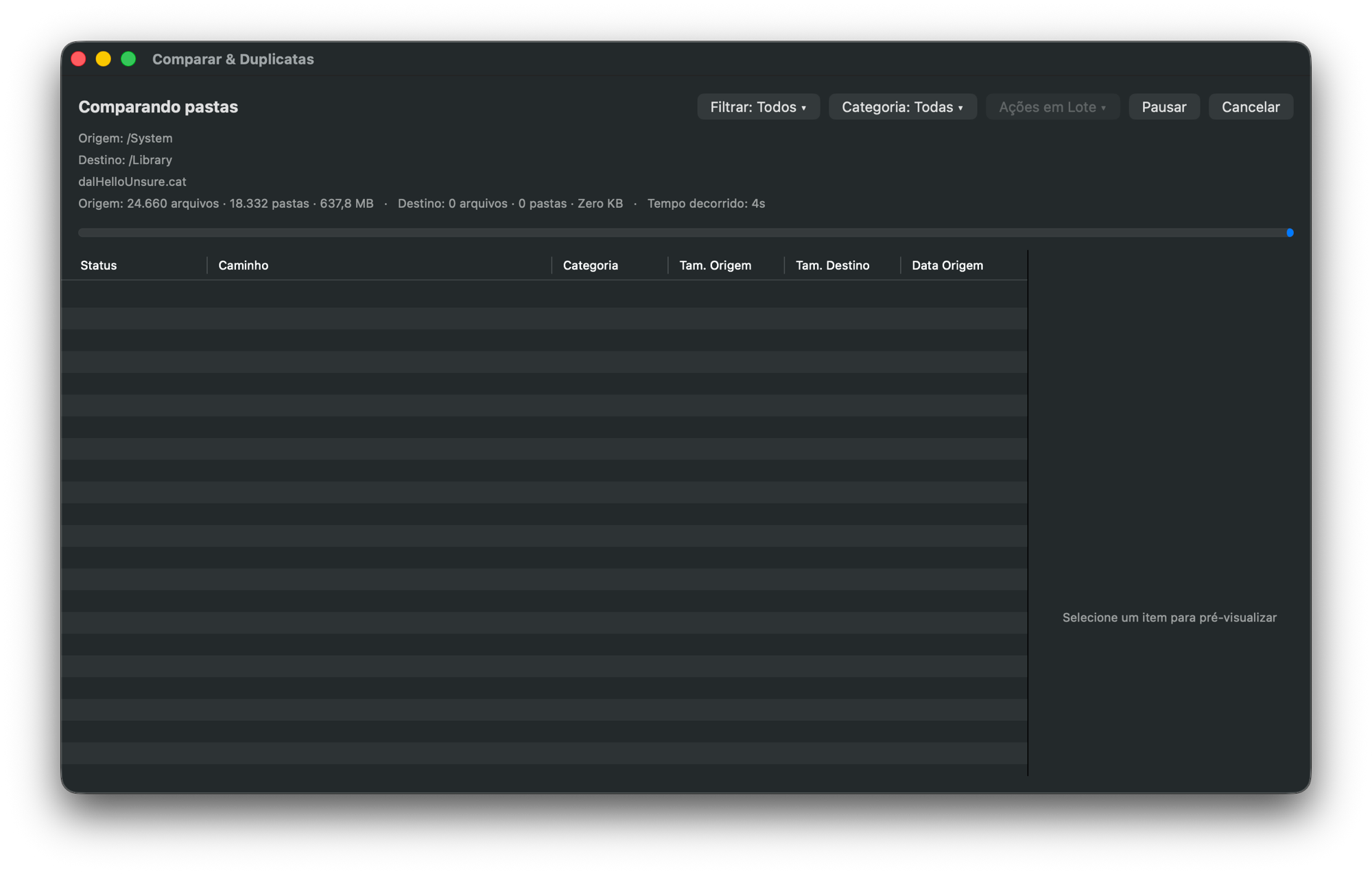
Compares a source and a destination folder file by file — with a quick check by size and date or a strict SHA-256 hash check — and marks each item as identical, different or present on only one side. From there, Batch Actions resolve everything at once: copy what exists only in the source, copy what exists only in the destination, or overwrite the different ones with one side's version. When some files need a decision of their own, right-click and resolve them one by one.

  • SHA-256 hash per file, or a quick check by size and date
  • Batch Actions: copy source-only or destination-only files, overwrite different ones
  • Item-by-item resolution when you need to decide manually
  • From a project folder to an entire drive
Coming soon to the Mac App Store
Folder comparison in Super File Manager showing identical, different and unique files on each side
Pro · free up to 500 MB

Find Duplicates

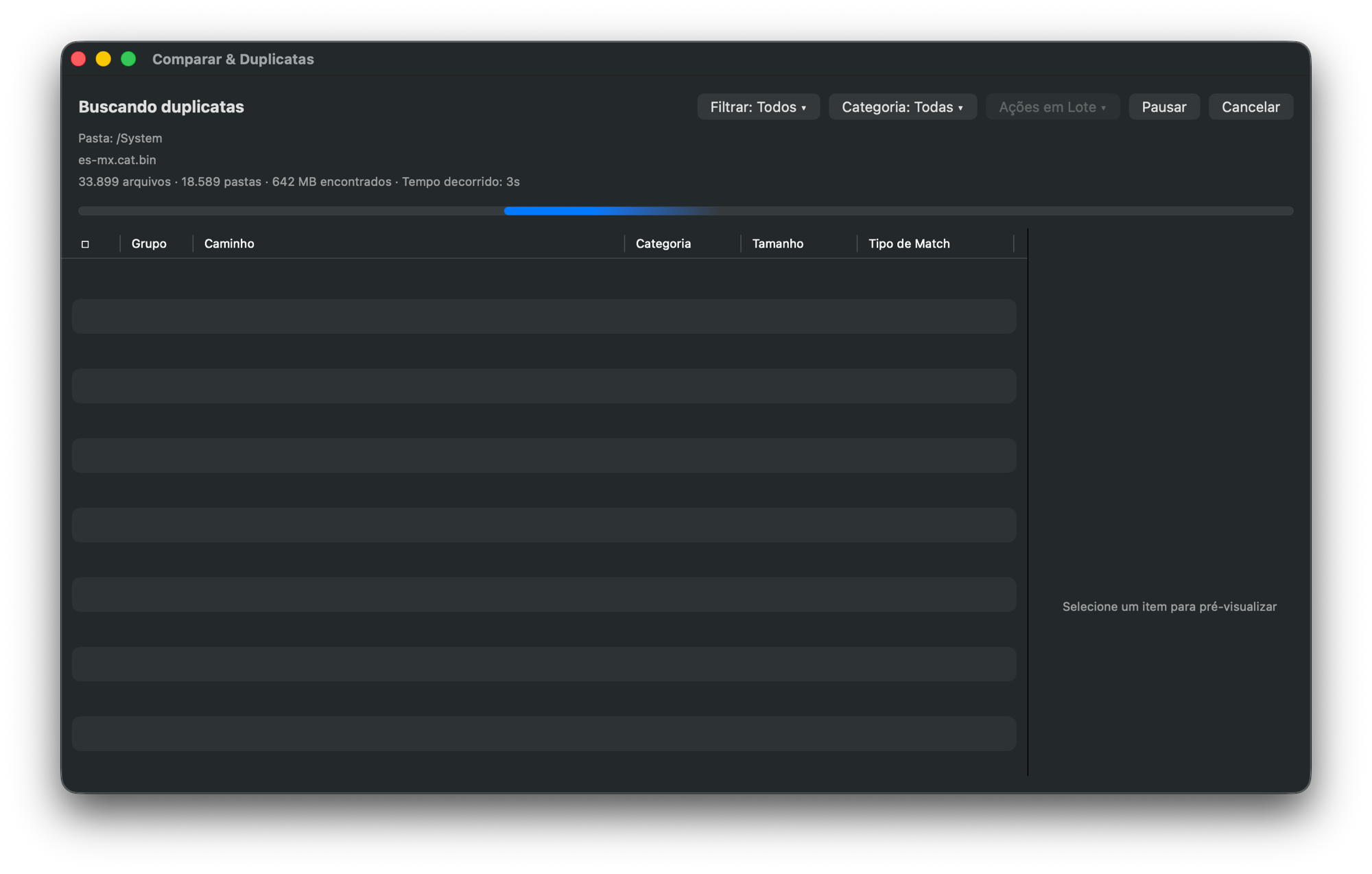
Finds exact duplicates by content hash and also visually similar photos — the same picture resized, recompressed or saved again in another format, which a plain "identical file" check misses. Each group shows how much space you can recover, and Batch Actions clean up in bulk: keep one copy per group, keep only the newest or the largest, or move the marked files to a review folder before deciding.

  • Exact duplicates (content hash) and similar photos
  • Shows recoverable MB/GB per group
  • Batch Actions: keep newest, keep largest, move for review
  • Built for external drives with hundreds of thousands of files
Coming soon to the Mac App Store
Duplicate file search in Super File Manager scanning a folder
Pro · free up to 500 MB

Data & File Cleanup

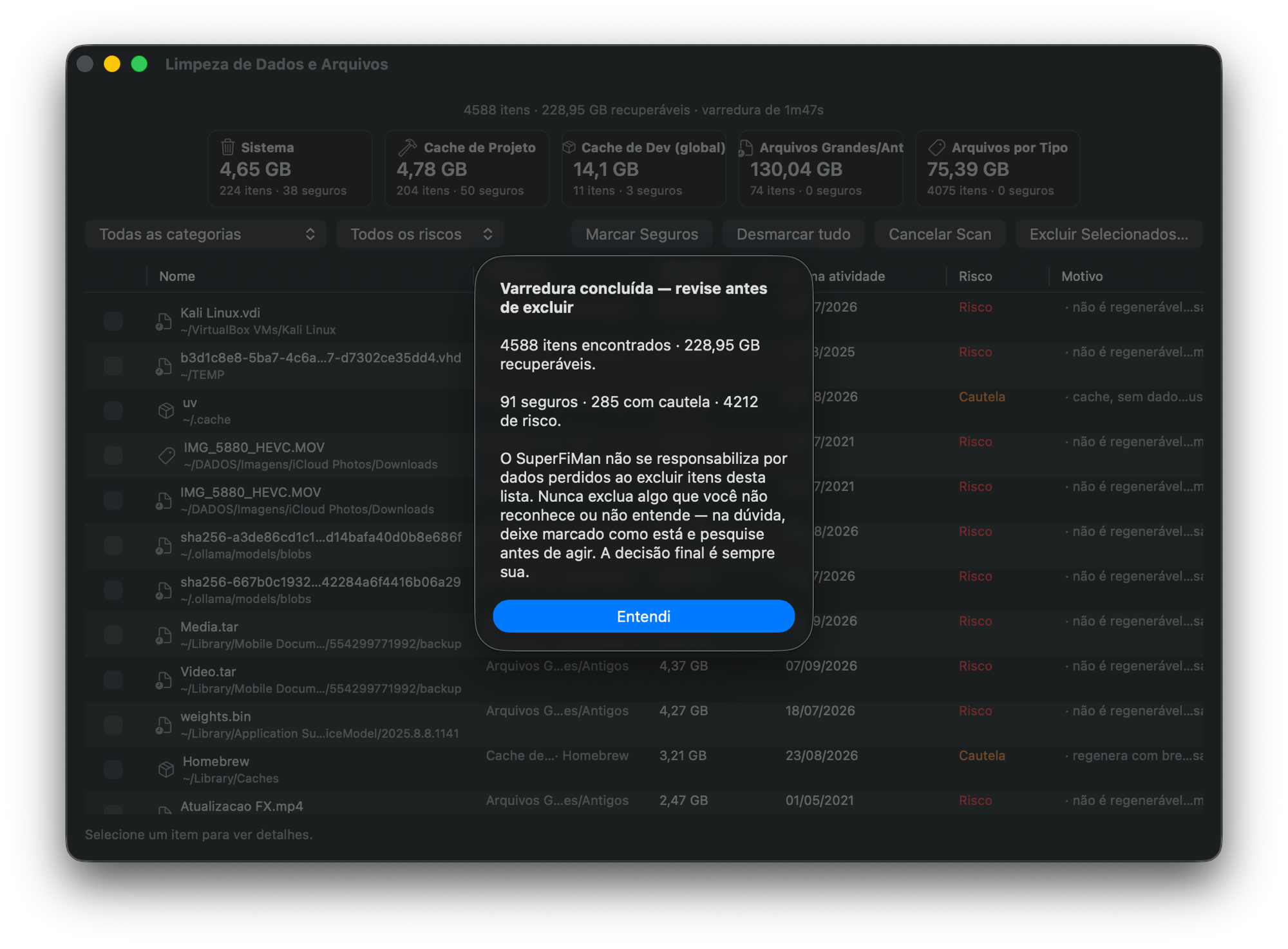
Super File Manager recognizes project caches by the right marker — it only treats a target folder as a Rust cache if there is a Cargo.toml next to it, for example — and also finds old logs and forgotten large files. You choose the scope (your home folder, a disk or a single folder) and the categories, with an adjustable "unused for" period. Before anything is removed, a review screen sorts items into Safe, Caution and Risk, and everything goes to the Trash, so you can recover it later.

  • node_modules, .next, __pycache__, Pods, venv, target, dist/build
  • Developer tool caches and DerivedData
  • Adjustable scope and "unused for" period
  • Review by risk (Safe / Caution / Risk) before moving to the Trash
Coming soon to the Mac App Store
Cleanup scan results in Super File Manager, with items sorted by risk before deleting
Pro · free up to 500 MB

Photo Manager

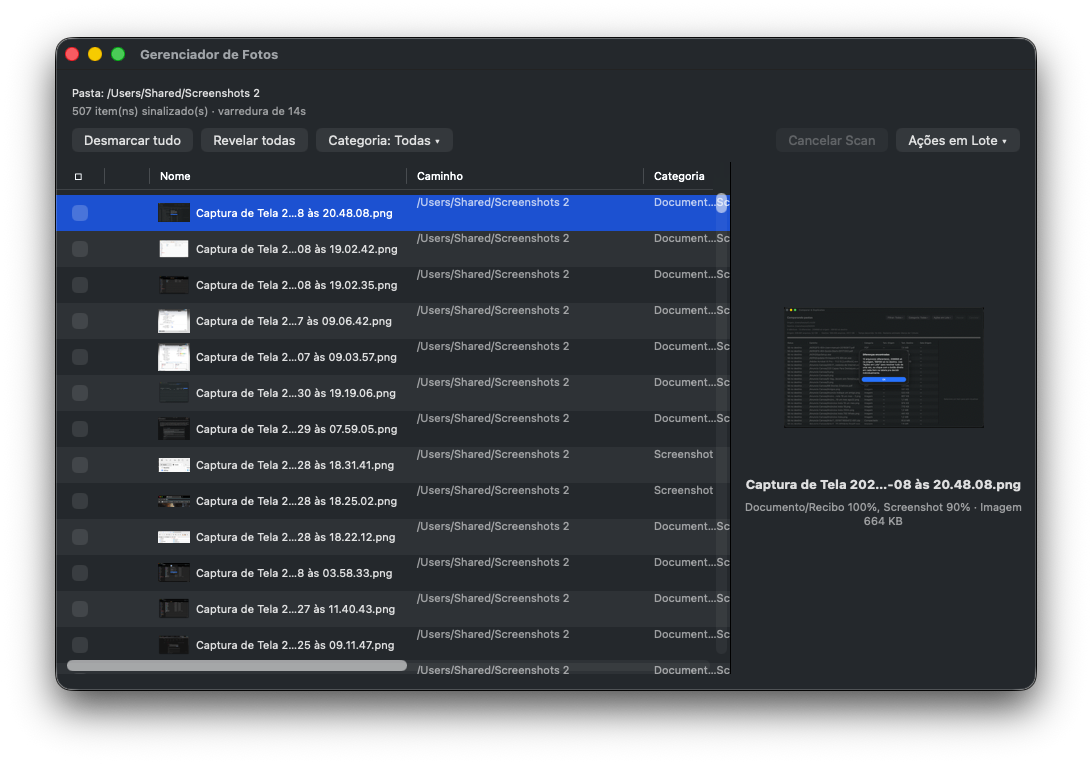
Point it at a folder and Super File Manager analyzes every image (and, optionally, videos, by sampling frames), sorting out screenshots, photographed documents and receipts, blurry or badly exposed shots and corrupted files — with a confidence percentage for each one — so you review by category instead of folder by folder. All analysis happens on your Mac, and nothing is sent over the internet.

  • Confidence percentage for each classification
  • Blurry, badly exposed, document/receipt, screenshot, corrupted
  • Sensitive images with Apple's own analysis, when Sensitive Content Warning is on
  • Videos by frame sampling (optional)
Coming soon to the Mac App Store
Photo Manager in Super File Manager sorting screenshots and documents in a folder with hundreds of images

Toolbox

Everything inside the app

Tools with a cyan icon are Pro. The rest are free forever, even without a license.

  • Data & File CleanupPro · free up to 500 MB
  • Find DuplicatesPro · free up to 500 MB
  • Photo ManagerPro · free up to 500 MB
  • Compare FoldersPro
  • Open and extract archives (ZIP, RAR, 7z, TAR)Pro
  • Compress (ZIP, including password-protected, and TAR)Pro
  • Test IntegrityPro
  • SFTP/SCP connectionPro
  • Tabs and history

    Several folders open at once, with Back/Forward and an address bar with autocomplete.

  • Views your way

    Details, list, icons or columns, remembered for each folder, plus a preview pane and Quick Look.

  • Advanced search

    Filter by name, kind, size and dates, search inside file contents and save searches in the sidebar.

  • Disks and network

    External disks and network shares show up in the sidebar. NTFS disks open read-only, and the app shows you how to enable writing with an NTFS driver from the App Store.

  • Light and dark

    Follows the system theme.

Free vs Pro

What each plan unlocks

FeatureFreePro
File manager, tabs, search, networkYesYes
Data & File CleanupUp to 500 MBUnlimited
Find DuplicatesUp to 500 MBUnlimited
Photo ManagerUp to 500 MBUnlimited
Compare Folders—Yes
Open and extract archives (ZIP, RAR, 7z, TAR)—Yes
Compress (ZIP, including password-protected, and TAR)—Yes
Test Integrity—Yes
SFTP/SCP connection—Yes

On the free plan, scanning is always free; each cleanup tool's limit is how much it can remove or move, added up over time. The 14-day free trial unlocks Compare, archives, SFTP and the other Pro tools.

Coming soon to the Mac App Store

Privacy

Your files stay on your Mac

Super File Manager does not collect any data. Search, duplicates, cleanup and photo analysis run on your Mac. SFTP connects only to servers you enter yourself.

Privacy Policy · Support

Installation

How to install

  1. Open Super File Manager's page on the Mac App Store.
  2. Click Get (it's free) and wait for the download.
  3. Open the app from Launchpad or the Applications folder.
  4. Updates arrive through the App Store.